
Amenify Resident
AmenifyHouse & Home
4.0778.00 Reviews
- Version
- 2.1.2
- Installs
- 50.00K
- Age Rating
- Everyone
Screenshots
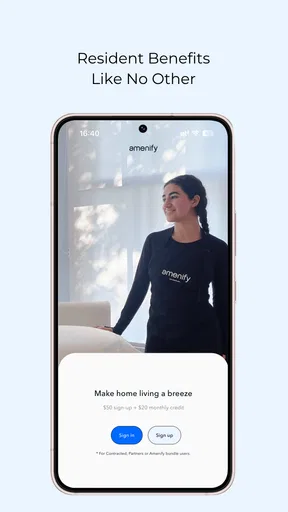
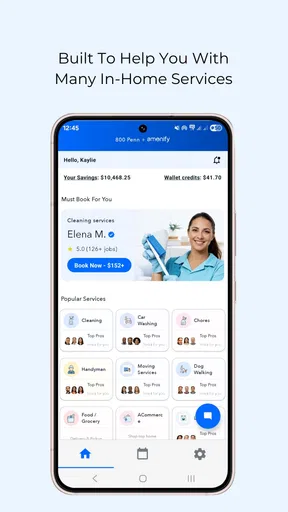
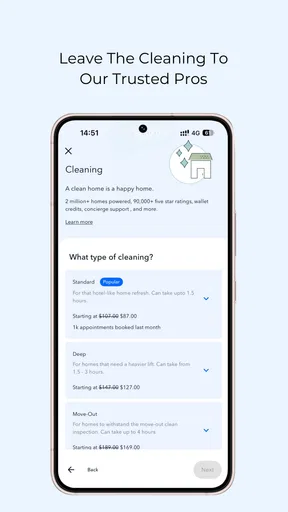
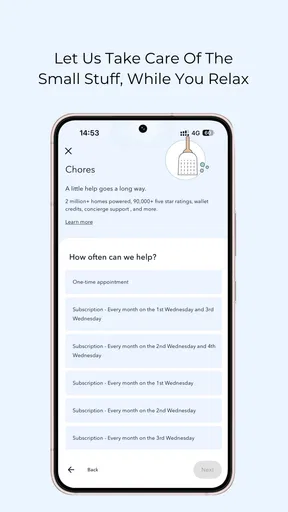
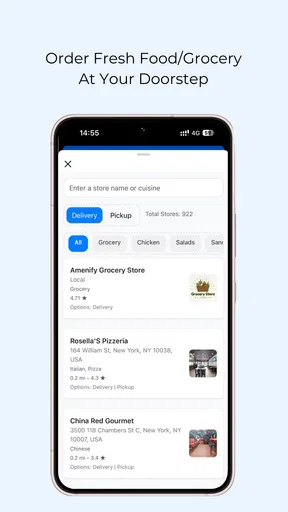
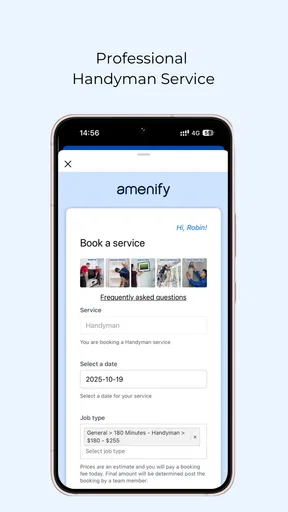
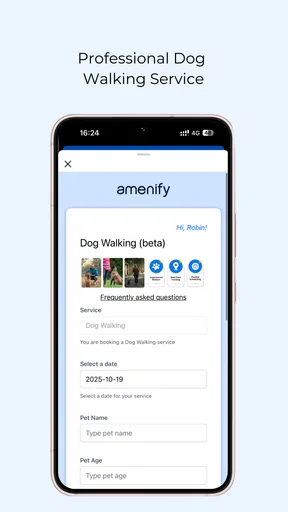
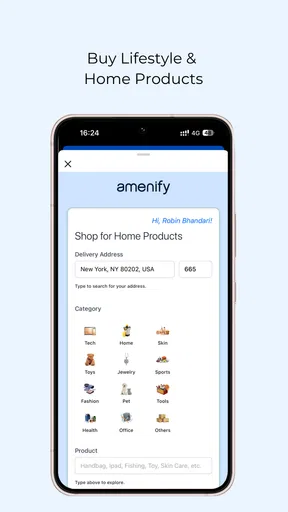
Our Review of Amenify Resident
 Analysis by Appyee
Amenify Resident is the kind of House & Home app I would open when I want to arrange a service connected with where I live, rather than search through several unrelated providers. It is developed by Amenify and is designed for residents across the United States. The app is free, rated for Everyone, and its role is straightforward: bring in-home services into a resident-focused mobile experience.
That sounds simple, but the value depends heavily on your living situation. If your building or residential community already works with Amenify, the app can make service requests feel more organized than phone calls, hallway notices, or scattered messages. If you are looking for a general marketplace that works anywhere, it may not be the right tool. I see it as a practical resident utility, not a universal home-maintenance directory.
How I use Amenify Resident for the everyday workflow
My recommended starting point is to treat the app as a single place for handling eligible home services, not as an app to browse casually. After installing it, I would first make sure the resident account is connected to the correct home or community. That basic step matters because a service app is only useful when it recognizes the residence it is meant to support.
Once access is ready, I would look through the available service choices before making a request. The most useful habit is to read each option carefully and decide what kind of help is actually needed. A vague request can create unnecessary back-and-forth, while a concise description gives the service process a better starting point. I would include the room or area involved, the preferred timing, and any practical detail that could affect access.
A realistic example would be a resident who notices that a recurring household task has become difficult during a busy week. Instead of searching online, comparing unfamiliar providers, and arranging access separately, that person can check Amenify Resident to see whether the needed service is available through the residential setup. The advantage is not that the app eliminates every step; it is that the request begins in a context connected to the resident’s home.
I also recommend checking the request details before confirming anything. Small errors are especially inconvenient with in-home services. The address, unit information, selected service, timing, and notes should all match the actual situation. This is one of those unexciting habits that saves more trouble than any clever shortcut.
The app’s resident focus is its clearest strength. A general search engine may produce a longer list of companies, but it also leaves you to judge availability, communication, and suitability on your own. Amenify Resident is more focused on the relationship between a resident and the services made available in that residential environment. For people whose community supports it, that focus can be more useful than a large but impersonal directory.
What the app is best at
I would recommend it most to residents who want a repeatable way to request home-related help and keep the process tied to their residence. It can also suit people who dislike making service arrangements by phone or who prefer having a mobile starting point when they need assistance.
It is less compelling for someone who manages every task independently, already has trusted local professionals, or lives somewhere that does not provide a meaningful service selection through the app. In those cases, a direct relationship with a provider may be faster. The app does not automatically make an unsuitable service available, and it cannot replace a provider’s actual work.
Settings and account details worth checking
My first settings check would be the resident profile and home information. I would confirm that the account is associated with the right community and unit, then review any contact details used for service communication. This is more important than customizing the interface because incorrect resident information can affect the entire workflow.
I would also inspect notification controls. Service-related alerts are useful when they help you notice a status change or an important message, but too many notifications can make the app feel noisy. I prefer leaving essential service communication enabled while reducing anything that is merely distracting, when the available controls allow that distinction.
Another worthwhile check is the way the app handles access instructions. In-home work often depends on practical details such as entry arrangements, pets, parking, or where a provider should go. I would keep those notes clear and current rather than writing a long paragraph that mixes several unrelated instructions. A short, specific note is easier for another person to follow.
There is also a useful privacy habit here: I would share only information needed to complete the service. A resident service app naturally deals with location and household context, so I would avoid placing unnecessary personal details in free-text fields. This is not a criticism of Amenify Resident; it is simply sensible behavior whenever a digital request concerns your home.
The app is available for devices running Android 7.0 or later, which makes it accessible to people using older compatible phones. Its current version is 2.1.2. I would still keep the application updated when an update is offered, especially for a service tool where account access and communication matter more than visual novelty.
Because the app is free, the main decision is not whether to pay for the download. The more important question is whether the services connected to your residence justify keeping another app installed. I would answer that by checking how often I expect to use it and whether it is more convenient than the building’s usual alternatives.
Small habits that make requests clearer
One habit I find genuinely useful is preparing a short request template in my notes app. It can include the service needed, the location inside the home, preferred timing, access instructions, and anything that should be handled carefully. I would not paste the same text blindly every time, but having a structure prevents forgotten details.
A second habit is taking a quick photo when the issue is visual and when sharing one is appropriate. A photo can communicate the location or condition more clearly than a vague sentence. I would avoid including unrelated personal documents, faces, or private information. The point is to clarify the task, not to overshare.
A third habit is reviewing the request shortly after submitting it, while the details are still fresh. If I notice a mistake, correcting it early is better than waiting until the service day. I would also keep an eye on the app’s communication area rather than assuming that a request is complete simply because I tapped a confirmation button.
For recurring needs, I would create a personal calendar reminder to check the app at a sensible interval. That does not mean the app has a built-in recurring feature; it is a simple external habit that helps me remember household tasks. This approach is especially useful when the resident service is available but not something I use every week.
These habits show where the app’s real efficiency comes from. It is not about racing through screens. It is about reducing avoidable mistakes before a request reaches the service stage. A clear profile, concise notes, appropriate notifications, and a quick review can make the same app feel much smoother.
Where Amenify Resident differs from ordinary alternatives
The usual alternative is to contact a provider directly, ask friends for recommendations, or search a broad home-services marketplace. Those options can be better when you need a specialist, want to compare many independent providers, or already know exactly whom you trust. They may also give you more control over the relationship and communication.
Amenify Resident takes the opposite approach. It is built around the resident experience and the services available through a participating residential environment. That can reduce the effort of starting a request, but it also means the app is not as flexible as a wide-open marketplace. You are working within the service choices and process connected to your home.
For me, the trade-off is reasonable when convenience and residential context matter more than maximum choice. I would use this app first for an available in-home service tied to my community, then look elsewhere if I needed a provider outside that scope. Trying to force it into the role of a complete home-services search engine would lead to disappointment.
The same distinction applies to building management channels. A resident portal may be better for maintenance issues that belong to the property itself, while Amenify Resident is more relevant to resident-oriented in-home services. I would avoid using the wrong channel simply because it is already installed. The fastest route is the one that matches the responsibility for the task.
Limits experienced users should understand
The first limitation is availability. The app’s usefulness depends on the services offered to residents in the relevant community. A polished interface cannot help if the service you need is not part of that arrangement. Before relying on it for an urgent household problem, I would check whether the app is intended for that type of request or whether property management or an emergency provider is the proper contact.
The second limitation is that digital organization does not guarantee instant fulfillment. A request still involves people, schedules, access, and the practical conditions of the home. I would not assume that submitting through an app means the service will happen immediately. For time-sensitive needs, I would read the available communication carefully and use the appropriate direct contact route when one is provided.
The third limitation is that a resident-centered service can be less useful after moving. If I changed communities, I would review whether my account and available services still make sense before continuing to use it. This is another reason not to think of the app as a permanent replacement for every local provider relationship.
I would also be cautious about using the app for complicated work that needs detailed diagnosis, specialized licensing, or a long consultation. A short mobile request is convenient for clearly described needs, but complex jobs can benefit from a direct conversation with a qualified professional. In those cases, the app may be a starting point rather than the complete solution.
These limits do not make Amenify Resident poor at its intended job. They define the job more clearly. It is strongest when the service is supported, the request is ordinary enough to describe, and the resident wants a structured path connected to the home.
Who should install it and who should skip it
I would install it if I lived in a participating United States residential community, wanted access to the in-home services made available there, and preferred a mobile workflow over phone calls or informal arrangements. The app is also a sensible choice for residents who want one familiar place to begin household service requests.
I would skip it if I expected a nationwide directory of every home professional, needed extensive provider comparison, or had no reason to use resident-specific services. I would also avoid depending on it as the only channel for urgent maintenance, safety concerns, or work that clearly belongs to property management.
The audience size suggests that it has found a real use case: Amenify Resident has more than fifty thousand installs, with an average rating of four stars from around one thousand two hundred ratings and seven hundred seventy-eight reviews. Those numbers make it look established enough to take seriously, while the rating also feels appropriately mixed rather than impossibly perfect. I read that as a reason to try it in the right context, not as a promise that every resident will have the same experience.
Its Everyone content rating is reassuring for a household utility, although the more important practical consideration is still who manages the residential account and services. A family member might install it, but the person submitting a request should understand the home details and access arrangements involved.
My final view after using it as a resident tool
Amenify Resident succeeds when I judge it by the problem it is meant to solve: making selected in-home services easier to access for residents. I like the focused workflow, the connection to the living environment, and the possibility of avoiding a messy chain of searches and calls. The best results come from treating the app as part of a routine rather than expecting it to make every household problem disappear.
My strongest recommendation is to set it up carefully, verify the resident details, tune notifications, and use clear repeatable request notes. Those steps are more valuable than simply installing the app and hoping convenience appears automatically. I would also keep a separate mental boundary between resident services, property maintenance, and emergencies.
Developed by Amenify, the app has been available since October 16, 2019, and remains a free option in the House & Home category. For a resident whose community supports its service workflow, that makes it worth trying. For someone outside that context, a direct provider or broader marketplace will probably be more useful.
My bottom line: use Amenify Resident when residential access and convenience are the priority, but keep your expectations tied to the services your community actually supports. It is a focused tool, and its focus is precisely why it can be helpful for the right resident—and limiting for everyone else.
Verdict
Strengths of Amenify Resident
- Easy access to building services from one convenient app.
- Simple booking process for cleaning and household services.
- Useful service updates and appointment notifications.
- Helps residents discover amenities available in their building.
- Reduces the need to coordinate services by phone or email.
Limitations of Amenify Resident
- Available services depend heavily on your building and local area.
- Some bookings may have limited time slots or delayed availability.
- Pricing can vary and may be higher than independent providers.
- The app is less useful for residents in buildings without Amenify support.
- Service quality may differ depending on the assigned local professional.
Similar Picks in This Category
View All
Universal TV Remote Control
CodeMatics Media Solutions3.9

AlfredCamera Home Security app
Alfred Systems Inc.4.7

Planner 5D: AI Home Design
Planner 5D4.5

Universal Tv Remote-Cast to TV
One Music Player4.1

Zillow: Homes for Sale & Rent
Zillow Group4.8

99acres Buy/Rent/Sell Property
infoedge.com4.3
Frequently Asked Questions
What is Amenify Resident, and what can I use it for?
Amenify Resident is a resident-services app designed for people living in participating apartment communities and managed properties. After signing in, residents may be able to browse and request services such as housekeeping, dog walking, pet care, laundry, deliveries, or other community amenities. The exact selection depends on your building, location, and the services enabled by property management.
Can anyone download and use Amenify Resident?
Anyone may be able to download the app, but access is generally intended for residents of properties that partner with Amenify. You will typically need a valid account, invitation, or property-related information to register. If your building is not supported, some features may be unavailable. Before downloading, check whether your apartment community uses Amenify or ask the leasing office for confirmation.
How do I book a service through Amenify Resident?
After logging in, select an available service, review the description, choose a preferred date and time, and confirm the request using the instructions shown in the app. Availability, pricing, service areas, and booking rules can vary by property. It is important to review the final order details, including fees and cancellation terms, before submitting a reservation.
How are payments and cancellations handled in the app?
Payment procedures depend on the service and the agreement between Amenify and your property. Some requests may require a saved payment method, while others could be charged through a resident account or handled according to building policies. Cancellation windows and possible fees also vary, so review the service-specific terms carefully. Contact Amenify support or property management if a charge appears incorrect.
What should I do if Amenify Resident is not working or my service request has a problem?
First, check your internet connection, update the app, and restart it if screens fail to load or bookings do not appear. Make sure you are using the correct resident account and that your property still offers the selected service. For missed appointments, billing concerns, login problems, or urgent issues, use the app’s support options or contact your property management team directly.
